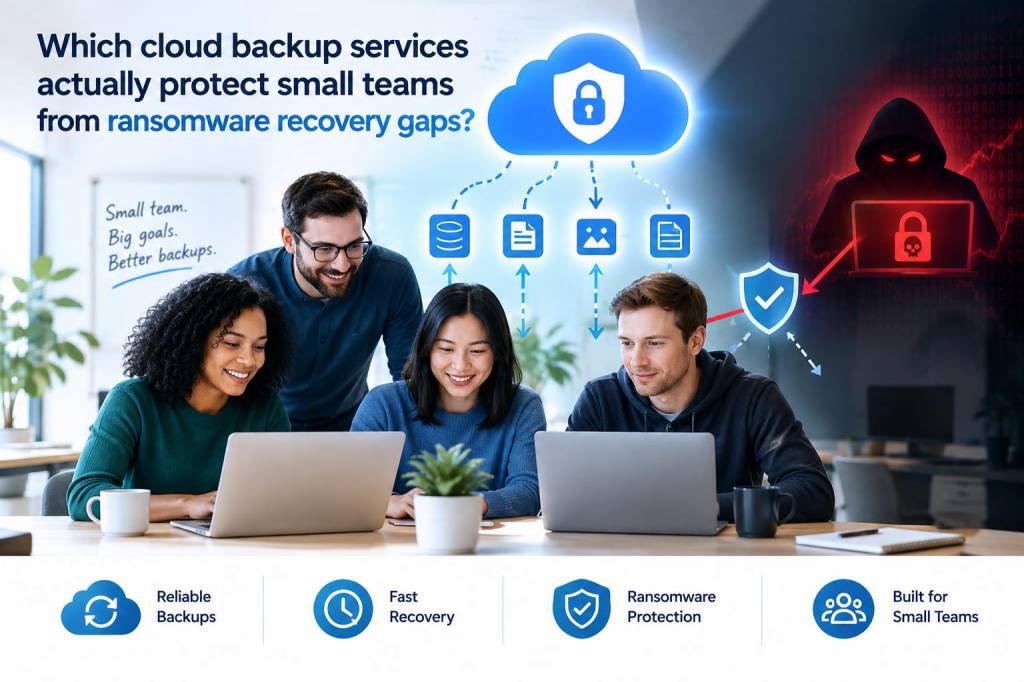
When I evaluate cloud backup services for small teams, I stop asking whether a vendor offers backups and start asking a harder question: what happens after ransomware hits production, identity systems, and shared storage at once? That is where many “good enough” backup platforms fail. They copy data, yet leave gaps in retention, immutability, recovery speed, access control, or restore scope. A small team does not need a perfect enterprise data platform, but it does need enough resilience to recover cleanly when a single compromised account or a synced desktop client turns into a company-wide mess.
In my own reviews, I look for services that protect against five failure points: encrypted backups, accidental deletion, malicious deletion, credential theft, and delayed discovery. If a vendor only helps with one or two of those, I do not trust it to close ransomware recovery gaps. The right service for a small team usually combines version history, immutable storage, granular restore options, separate admin controls, and clear recovery workflows that do not require heroic effort at 3 a.m.
What actually creates ransomware recovery gaps
Small teams often assume their backup problem is solved because they use Microsoft 365, Google Workspace, or a file sync platform with versioning. I do not share that confidence. Ransomware recovery gaps usually appear when people confuse sync with backup. A synced file, once encrypted or deleted, may propagate that change across every connected device before anyone notices. If the service keeps only a short history window, the team discovers that clean versions expired right when they need them most.
I also see gaps when the backup system itself is too easy to tamper with. If an attacker steals an admin password, disables retention, or deletes backup jobs from the same console used for everyday work, recovery becomes uncertain. Another common issue is restore blindness: teams can back up data, but they cannot quickly rebuild a mailbox, a shared drive, a project folder, or a single user account without lengthy manual work. During an incident, that delay matters almost as much as data loss.
Finally, many services underestimate identity compromise. Ransomware rarely arrives alone. It often arrives after phishing, stolen tokens, weak MFA enforcement, or unmanaged devices. If a backup platform does not isolate backup access from the main production identity plane, the attacker may end up with a path to destroy your safety net.
What I want from a small-team backup platform
For small teams, I am not hunting for a giant feature list. I want a service that makes recovery boring, predictable, and independent from the compromised environment. My baseline checklist looks like this:
- Immutable storage so backups cannot be altered or deleted within the retention window.
- Long enough retention to cover delayed detection, not just same-day accidents.
- Separate administrative access with strong MFA and ideally a distinct identity boundary.
- Granular recovery for files, folders, mail, accounts, and shared resources.
- Fast search and indexing so I can find a clean restore point quickly.
- Support for SaaS and endpoints because small teams lose data in both places.
- Audit logs and alerting so unusual deletion or policy changes do not go unnoticed.
- Reliable export or off-platform recovery in case the vendor environment itself becomes unavailable.
If a product lacks immutability, I treat it as incomplete. If it lacks granular recovery, I treat it as inconvenient at best. If it lacks independent admin security, I treat it as risky.
Services I trust more than sync-only tools
For Microsoft 365 and Google Workspace environments, I usually prefer dedicated third-party backup vendors over relying only on native retention. Afi, Veeam, Datto SaaS Protection, Keepit, and Rubrik are names I see often when the goal is real ransomware resilience rather than basic data retention. Each has strengths, and none is perfect for every team, but they move beyond simple version history.
Afi stands out for straightforward SaaS backup and strong emphasis on immutable backups and flexible restore. I like it for small teams that want less operational overhead and clearer recovery workflows. It is especially attractive when the team mostly lives in Microsoft 365 and wants protection that feels lightweight without being flimsy.
Veeam is a frequent choice when a team wants broader coverage across virtual machines, endpoints, and some SaaS workloads. I respect Veeam because it has a long security and recovery pedigree, and its ecosystem can be powerful. The tradeoff is complexity: small teams may need more careful setup and more disciplined administration to avoid configuration drift.
Datto SaaS Protection has long been associated with managed service providers and small-business recovery. I like it when a team wants practical restore simplicity and managed support around backup operations. In ransomware scenarios, that managed angle can matter because the recovery process itself is often where teams lose time.
Keepit is one of the options I watch closely for immutable cloud backup design and broad SaaS coverage. It appeals to teams that want a strong separation between production systems and backup storage. That separation is a major reason I view it as more credible than plain retention features built into productivity suites.
Rubrik is often positioned higher up the stack, but I still mention it because its security posture and recovery architecture can be compelling for small teams with higher stakes or a more mature IT function. I would not call it the simplest option, yet it can close a lot of the gaps that cheaper tools leave open.
For endpoint backup, I also pay attention to vendors such as Acronis and Backblaze, depending on the use case. Backblaze is simple and approachable for raw file protection, while Acronis adds broader cyber protection features. If a team needs endpoint recovery after a ransomware event, the quality of restore speed and image recovery can matter more than fancy dashboards.
Where native cloud retention still matters
I do not dismiss built-in protections entirely. Microsoft 365 and Google Workspace both provide useful retention and recovery features, and native controls are often the first layer I recommend enabling. But I do not trust them as the only layer for a small team that cannot afford downtime. Native retention tends to be optimized for accidental loss, policy compliance, and limited restore use cases. Ransomware recovery needs something stronger, especially when an attacker has been inside the tenant long enough to compromise policies or purge content.
I also care about what the native platform does not protect. Shared mailboxes, Teams chats, complex folder structures, project collaboration data, and long-term archiving all behave differently. If one vendor promises that “it is all in the cloud,” I immediately want to know what happens when accounts are disabled, tokens are revoked, or retention policies are modified after compromise.
The questions I ask before I recommend a service
Before I trust any cloud backup platform for a small team, I ask a set of blunt questions. If the answers are vague, I move on.
- Can a malicious admin delete backups immediately, or is there an immutable window?
- How long does the default retention last, and can I extend it without friction?
- Can I restore a single user, a mailbox, a folder, or an entire tenant quickly?
- Does the vendor support MFA, role separation, and least-privilege admin access?
- Are backup storage and production identity truly separated?
- Can I export data if I leave the service?
- How visible are failed jobs, suspicious deletions, and policy changes?
- What is the actual recovery time under stress, not just the marketing RTO?
Those questions reveal whether a service is built for recovery or just for collection. A platform can back up terabytes of data and still fail catastrophically if it cannot survive compromised credentials or deliver a clean restore fast enough.
What I would choose for different small-team situations
If a team is mainly on Microsoft 365 and wants simple, strong protection with minimal admin overhead, I lean toward Afi or Keepit. If the team wants a broader recovery stack that may extend beyond SaaS into endpoints or infrastructure, I look at Veeam or Acronis. If the team is comfortable with a managed approach and values operational support during incidents, Datto remains relevant. If the organization has slightly higher security maturity and wants a more comprehensive resilience posture, Rubrik deserves attention.
That said, the “right” choice depends less on the logo and more on whether the service matches the team’s failure mode. A design studio with five people and heavy Microsoft 365 use has different needs from a twenty-person software startup with laptops, source code, collaboration suites, and customer data. I would rather see a smaller team run a well-configured, immutable, clearly tested backup platform than a sprawling enterprise system that nobody understands.
One more thing matters to me: restoration drills. I do not trust a backup service until I have seen a test restore that proves the team can recover what matters without relying on instinct. I want one-click recovery where possible, but I also want a documented process for the ugly case: compromised identity, partial data corruption, suspicious timing, and a business user demanding access before lunch. That is where a service either earns its keep or exposes its limits.
A practical comparison of common options
| Service | Strongest fit | Ransomware resilience strengths | Watch-outs |
|---|---|---|---|
| Afi | Microsoft 365 focused small teams | Immutable backups, easy recovery, low admin burden | Less suitable for broader infrastructure needs |
| Veeam | Teams with mixed workloads | Deep recovery options, broad ecosystem, proven maturity | Can become complex without discipline |
| Datto SaaS Protection | Small businesses using managed services | Practical restores, service support, business-focused workflows | Feature depth varies by environment |
| Keepit | SaaS-heavy teams wanting isolation | Strong separation, immutable design, clean SaaS coverage | May feel less familiar to teams used to native admin tools |
| Rubrik | Security-conscious teams with higher demands | Comprehensive protection model, strong recovery posture | Often more than a tiny team needs |
| Acronis | Endpoint plus cloud protection | Broad cyber protection features, image recovery options | Configuration quality matters a lot |
| Backblaze | Simple endpoint file backup | Easy deployment, affordable file-level protection | Less complete for complex SaaS recovery |
What I keep returning to is this: small teams do not need the most expensive product, but they do need a service that prevents an attacker from turning backup into another casualty. The vendors that matter most are the ones that combine immutable retention, isolated administration, and fast, testable recovery. Anything less may look adequate until the day a real incident proves otherwise.