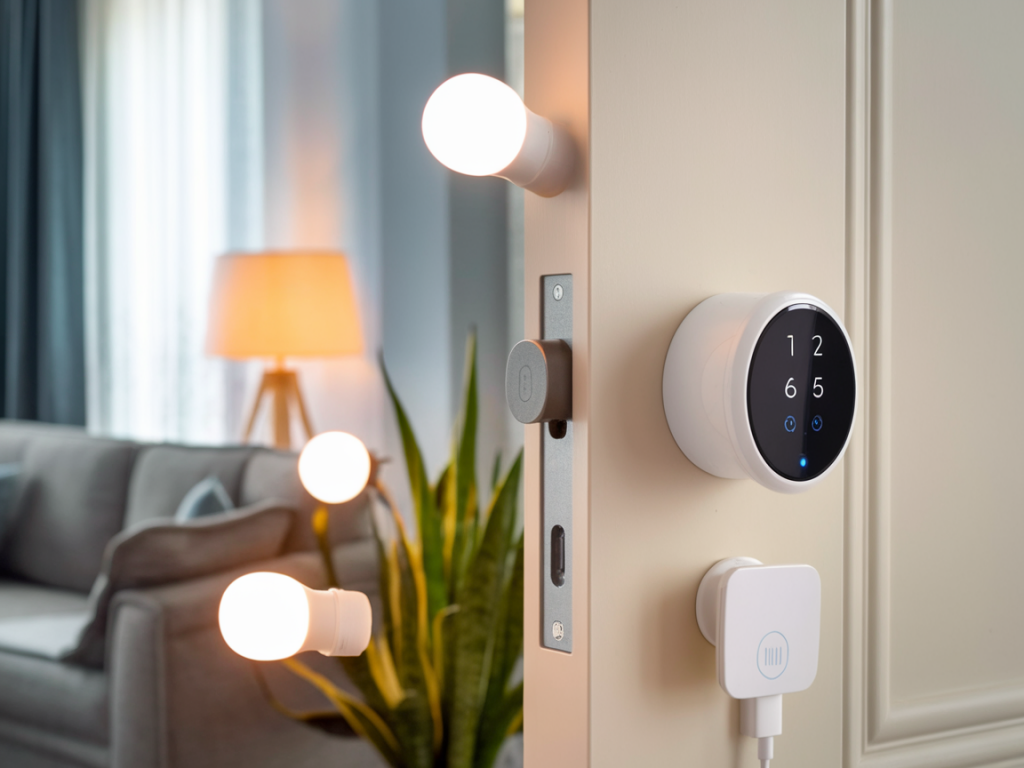
When I started replacing my deadbolt with a smart lock, I was excited by the convenience: one tap to unlock for a delivery driver, voice control through Alexa while my hands were full, and temporary codes for guests. What I didn't immediately appreciate was how a poorly integrated smart lock can become a local network attack vector. Over time I've learned to treat smart locks like the sensitive endpoints they are; you don't leave the front door keys under the welcome mat, and you shouldn't leave a lock connected to the same open network as every other IoT gadget in your home.
Why local network threats matter for smart locks
Smart locks that are integrated with Alexa or Google Home often expose local APIs, use companion hubs, or rely on cloud-to-cloud connections. That creates multiple potential paths for an attacker:
- Compromised IoT devices (cameras, bulbs, poorly secured plugs) on the same LAN can be used to discover or probe the lock.
- Unsegmented Wi‑Fi allows lateral movement — once a device on the network is compromised, an attacker may attempt to access smart lock services.
- Weak local authentication or outdated firmware can be exploited directly if the lock’s administrative interface is reachable locally.
- Voice assistants with weak account security or unnecessary local callbacks may be abused to trigger unlock commands.
Threat model I use when securing my locks
Before changing settings I define a simple threat model. Who am I protecting against?
- An opportunistic attacker on my Wi‑Fi (e.g., a guest who plugs in a rogue device).
- A targeted attacker who obtains Wi‑Fi credentials or exploits a vulnerable IoT device.
- Cloud account takeovers that aim to invoke the lock via Alexa/Google Home services.
With that model I focus on three pillars: network segmentation, device hardening, and strong identity & access controls.
Network-level defenses I actually use
- Create a separate VLAN or guest Wi‑Fi for IoT: I put all smart plugs, bulbs and cameras on a different VLAN from my primary devices (phones, laptops). Many home routers and third‑party firmwares (OpenWrt, Asuswrt‑Merlin) support VLANs; mesh systems like Eero and Ubiquiti offer guest network isolation.
- Put smart locks on a trusted but isolated network: If my lock supports it, I give it a dedicated IoT SSID that can reach the cloud and Alexa/Google cloud endpoints but cannot initiate connections to devices on my main LAN. That minimizes lateral movement risk.
- Block inter-client communication on the IoT SSID: Disable client-to-client communication so devices can’t talk directly to each other (many APs call this “AP Isolation”).
- Use a firewall to limit outbound connections: On advanced routers, I restrict outbound ports and destinations to only what’s necessary (e.g., lock vendor cloud IP ranges and Alexa/Google endpoints). That reduces the impact of a compromised device.
- Consider a small dedicated hub if available: Some locks (August, Schlage Encode, Yale, Nest x Yale) work with a proprietary bridge or hub. Putting that hub on a tightly controlled network segment often simplifies secure routing to voice assistants.
How I integrate with Alexa and Google Home safely
- Prefer cloud-to-cloud linking over exposing local APIs: For most users, linking the lock vendor account to Alexa/Google via OAuth is both simple and secure, because it avoids exposing local ports. I ensure each integration only grants needed permissions (lock/unlock, not full admin).
- Disable optional "local control" if you don’t need it: Some integrations enable local execution for speed. If you prioritize security over sub-second response, disable local control so commands always traverse vendor cloud with stronger auth.
- Use voice PINs and secondary confirmation: Alexa and Google Home let you require a spoken PIN before executing lock/unlock routines. I enable voice codes and set a unique PIN to prevent accidental or unauthorized voice unlocks.
- Limit routine automations: I avoid automations that unlock doors based solely on voice commands or presence detection. If I use geofencing routines, I require a second factor (temporary code or phone confirmation) for unlock actions.
- Review skill/app permissions regularly: Periodically I check which Alexa Skills or Google Home apps have access to my locks and revoke any I no longer use.
Device hardening and operational practices
Software and account hygiene matter as much as network design.
- Keep firmware up to date: I enable automatic firmware updates on the lock and any associated hubs. Firmware fixes often patch critical vulnerabilities.
- Use unique, strong passwords and MFA: My lock vendor account, Amazon and Google accounts all use strong passwords and 2FA. If the vendor supports hardware security keys (FIDO2), I use them.
- Limit administrative access: Create separate accounts for family or guests with limited privileges and temporary access codes rather than sharing a single admin login.
- Monitor logs and alerts: I enable notifications for lock events and review logs for unusual access times or repeated failed attempts. Some vendors (August, Ring, Schlage) provide event histories.
- Change default pins & codes: Many attacks exploit defaults. I change any default admin code on the lock and disable unused access methods (e.g., keypad if you never use it).
When local network attacks are still a concern
If you’re high risk or simply paranoid (same here), consider these additional steps:
- Use a hardware firewall or UTM: Devices from Firewalla, Ubiquiti, or pfSense let you create strict egress rules and detect suspicious outbound traffic from IoT devices.
- Deploy network monitoring and device profiling: Tools like Fing, Home Assistant with device trackers, or specialized IoT security products can alert on anomalous behavior (e.g., a lock making unexpected outbound connections).
- Isolate the lock from other IoT: In a hotelier setup I tested, the lock had its own tiny WLAN that only spoke to the vendor cloud and a single hub—no other client access.
- Consider locks with local-only modes: Some locks support a purely local Bluetooth mode where cloud features are disabled. This reduces convenience but minimizes exposure.
Comparing common lock setups
| Setup | Convenience | Local attack surface | Recommended for |
|---|---|---|---|
| Cloud-linked + Alexa/Google | High | Medium (depends on account security) | Most users who want voice control |
| Local-only (Bluetooth) | Low | Low | Security-first users, low automation needs |
| Hub + VLAN + firewall rules | Medium-High | Low | Power users wanting balance of convenience and security |
Practical checklist I run through after installing a lock
- Change default account credentials and PINs.
- Enable MFA on vendor, Amazon and Google accounts.
- Place lock and hub on isolated VLAN or guest SSID with AP isolation on.
- Restrict inter‑VLAN routing so IoT cannot initiate connections to main devices.
- Enable voice PINs and require confirmation for unlock routines.
- Set up notifications and review access logs weekly for the first month.
- Enable automatic firmware updates or check monthly.
Integrating a smart lock with Alexa or Google Home can be both convenient and safe if you design your network and access controls with care. I aim for practical tradeoffs: keep the features that genuinely help you, and lock down everything else. Treat your lock as part of your critical security perimeter—because, in practice, it is.